
Add Brand
Table of Contents
1. Features
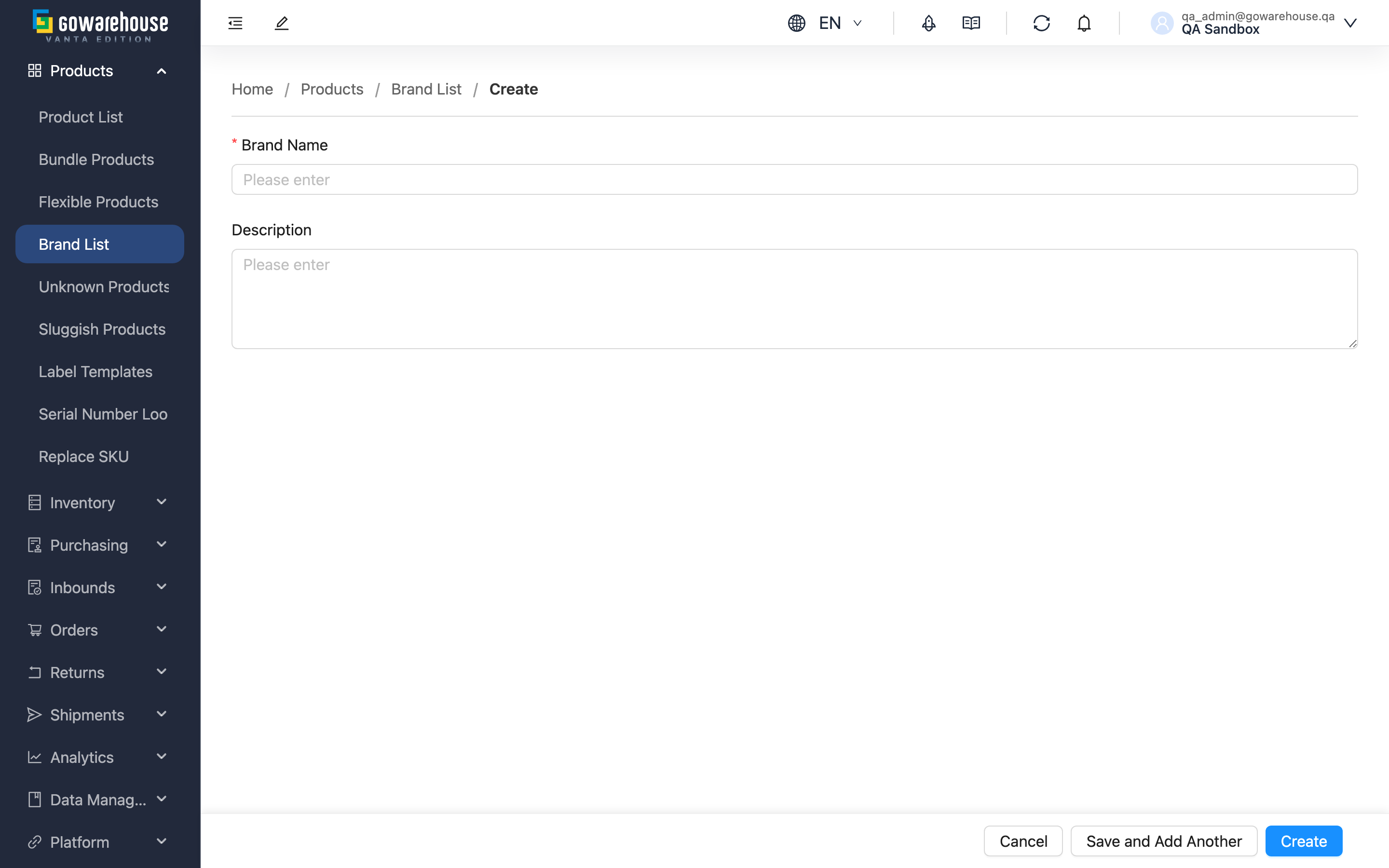
Create a brand record here. Once created, you can pick this brand from the "Brand" dropdown when adding or editing products, and then filter and analyze products by brand in "Product List". Only the brand name is required — the description can be added later.
Quick links: Form fields | Steps
1.1 Form fields
Fields marked with * are required
| Field | How to fill | Notes |
|---|---|---|
| *Brand Name | Enter the brand's official name (e.g. "Philips") | Must be unique within the same merchant; duplicates cannot be saved |
| Description | Enter the brand's positioning or main product lines to help your team identify it (e.g. "Charging accessories brand") | Optional; can be added later on the detail page |
1.2 Steps
- Fill in the "Brand Name", and optionally the "Description"
- Click "Create"
- After a successful creation, the page navigates to the new brand's detail page
- 💡 Tip: To create several brands in a row, click "Save and Add Another" instead — the form clears after saving so you can enter the next one right away.
Clicking "Cancel" discards your input and returns to the previous page.
2. FAQ
Quick links: FAQ | Important Notes
2.1 FAQ
▪ What should I do when an error says the brand name already exists?
It means a brand with the same name already exists under this merchant. Search the Brand List first: if it is the same brand, simply use the existing one; if it is a different brand, choose a distinguishable name.
▪ Can I edit or delete a brand after creating it?
Yes. Open the brand's detail page to edit its name and description, or delete it (see Brand Detail).
▪ Is the description required?
No, it is optional. It only helps you and your team identify the brand, and can be added on the detail page at any time.
▪ Can products use this brand immediately after creation?
Yes. Right after creation, the brand appears in the "Brand" dropdown when adding or editing products.
▪ If I leave the page halfway through, is my input kept?
No. Leaving the page before clicking "Create" discards everything you have entered.
2.2 Important Notes
⚠️ Reminders
- Brand names must be unique within the same merchant.
- Leaving the page before saving discards your input.
3. Related Features
| Feature | Description | Link |
|---|---|---|
| Brand List | Browse and search all brands. | Go |
| Brand Detail | View, edit, or delete a single brand. | Go |
| Add Product | Create a product and assign its brand. | Go |