
Brand Detail
Table of Contents
1. Features
View a brand's complete information and edit or delete it directly on this page. Renaming a brand only takes one change here — every linked product then shows the new name, with no need to edit products one by one.
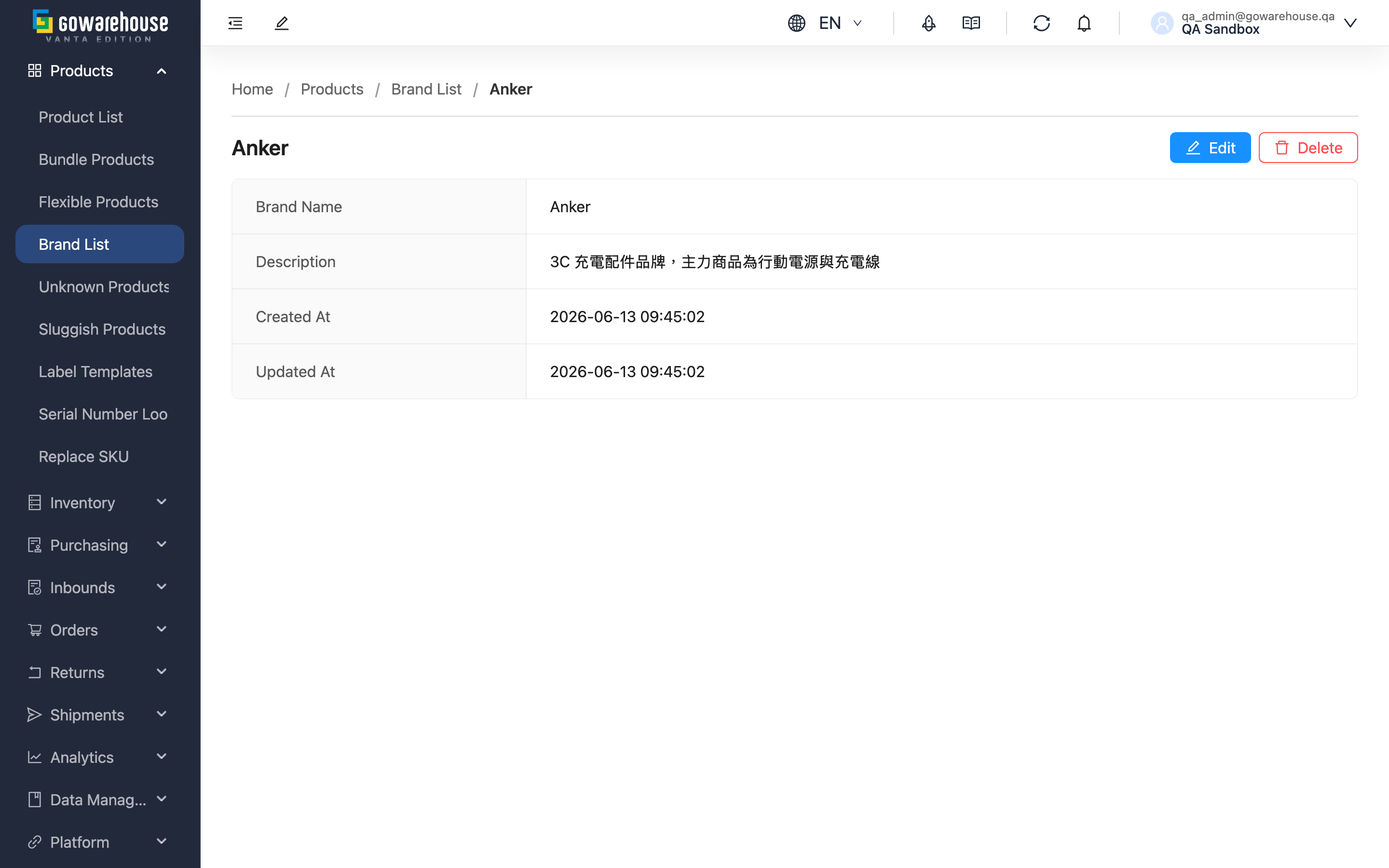
Quick links: Brand information | Edit brand | Delete brand
1.1 Brand information
The page shows the "Brand Name", "Description", "Created At", and "Updated At". The "Edit" and "Delete" buttons at the top right are shown based on your permissions — contact your administrator if you cannot see them.
1.2 Edit brand
- Click "Edit" at the top right; the page switches to edit mode (it does not navigate away)
- Modify the "Brand Name" or "Description"
- Click "Save" to save, or "Cancel" to discard the changes and restore the original content
After renaming, every linked product shows the new name. The name must still be unique within the same merchant; duplicates cannot be saved.
1.3 Delete brand
Click "Delete" at the top right, then click "Confirm" in the confirmation dialog. The brand is deleted and you return to the Brand List.
- Preconditions: None — a brand can be deleted even when products are still linked to it.
- Impact on products: All products under the brand become unassigned (no brand); the products themselves, their stock, and documents are not affected.
- Reversibility: Cannot be undone. If deleted by mistake, you must recreate the brand and reassign the products one by one (or in bulk via "Batch Edit Products" in "Product List").
2. FAQ
Quick links: FAQ | Important Notes
2.1 FAQ
▪ Why can't I see the edit or delete buttons?
Your account lacks brand editing permissions. Contact your administrator to confirm your permissions.
▪ Does renaming a brand affect its products?
Every linked product immediately shows the new name; the product records themselves need no changes.
▪ Do I need to move products to another brand before deleting?
No — a brand can be deleted with products still linked. However, those products become unassigned afterwards (see Delete brand); to keep them categorized, batch-change their brand in "Product List" before deleting.
▪ How do I abandon my changes halfway through editing?
Click "Cancel" to discard the changes; the page restores the original content.
▪ If I close the page while in edit mode, are my changes saved?
No. Changes only take effect after clicking "Save"; closing the page is the same as discarding them.
2.2 Important Notes
⚠️ Reminders
- Deleting a brand cannot be undone, and its products become unassigned.
- Changes in edit mode only take effect after clicking "Save".
3. Related Features
| Feature | Description | Link |
|---|---|---|
| Brand List | Browse and search all brands. | Go |
| Add Brand | Create a new brand. | Go |
| Product List | Filter products by brand and batch-edit product brands. | Go |