
Edit Integration
Contents
1. Features
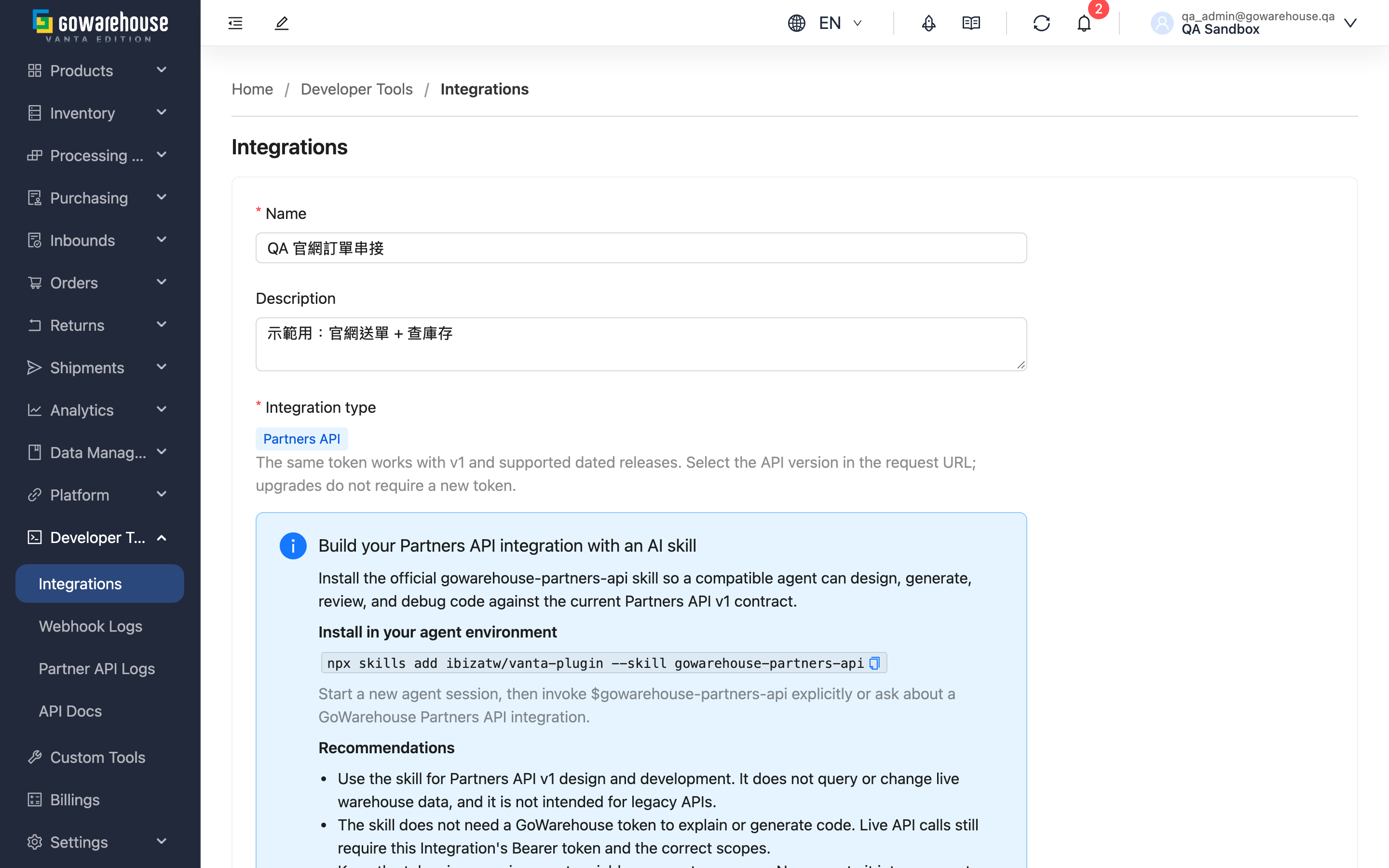
Adjust the settings of an existing integration. Day to day this is mostly adding or removing permission scopes (the other party is building something new), updating IP restrictions (they changed servers) and configuring the webhook. The API version is the one field that cannot be changed here.
Jump to: What can be changed | Permission scopes | IP restrictions | Webhook
1.1 What can be changed
| Field | Editable | Effect of changing it |
|---|---|---|
| Name | Yes | Display only; the other party notices nothing |
| Description | Yes | Same as above |
| Integration type | No | Formal/legacy classification is fixed; upgrading a formal dated contract does not change this field |
| Scopes | Yes | Takes effect immediately; the next call is judged against the new scopes |
| IP restrictions | Yes | Takes effect immediately; an incorrect entry blocks legitimate calls at once |
| Webhook | Yes | Takes effect immediately |
Changing settings does not alter the client ID or the access token — the other party does not need new credentials.
Legacy API access also depends on whether legacy compatibility is enabled for this environment. Editing these settings does not restore disabled legacy APIs. See API versions.
1.2 Permission scopes
Select or clear what these credentials may do; saving takes effect immediately. The full list and what each category means are described in Create Integration.
- Adding scopes: grant them here when the other party builds something new. No token regeneration required.
- Removing scopes: after clearing a scope, their next call to that area returns a permission error. Tell them before you remove anything, or they will suddenly see a batch of failures.
Current versions must keep at least one scope; legacy versions do not have this section.
"Retired scope names detected" on an older integration
Some scopes were renamed. When you open an integration created before the rename, the page lists the old names alongside their current equivalents and pre-selects the equivalents for you — nothing changes for the other party until you save. Saving swaps them for the new names; what the credentials can actually do stays the same.
One exception is worth noting: the contact address book used to be part of "Orders" and is now its own category. An existing integration that only carries "Orders" can no longer read or change your saved receiver addresses. If the other party was using the address book, add "Contact addresses" here.
1.3 IP restrictions
One entry per line, single IPs and CIDR blocks are both accepted, and an empty list means no source restriction. Invalid formats are rejected on save and the offending entry is named.
Remember to update this when the other party changes servers or adds machines. This is the most common cause of "it worked yesterday and today everything fails" — they see a rejection and have no way to know the IP list is the reason, so tell them whenever you change it.
1.4 Webhook
Configure where events are delivered when they occur.
| Item | Description |
|---|---|
| URL | The endpoint provided by the other party; must be a valid URL |
| Webhook version | The payload format version, independent of the integration's API version |
| Subscribed Events | Select which events are delivered |
| Signature Verification | Used by the other party to verify the delivery came from us. This page has a regenerate button too, but it likewise never shows the new key — only a masked value. To rotate the key, use the Webhooks page, which reveals the full key at the moment it is generated so you can copy it |
Delivering an event hands that data to the other party, so every selected event needs the matching read permission in Scopes above; otherwise the form cannot be saved:
| Events | Required read permission |
|---|---|
| Order shipped, order cancelled, shipment shipped, shipment status changed | Orders: read |
| Inbound completed | Inbounds: read |
| Inventory updated | Inventory: read |
| Return receipt verified, return order received | Return orders: read |
If you later remove a read permission, the matching events stop being delivered (other events continue) and the webhook itself stays enabled. Add the permission back to resume; events that occurred in the meantime are not re-sent.
The enabled switch is not on this page; it lives on Integration Detail.
Disabling the whole integration also disables the webhook. When you re-enable the integration afterwards, the webhook does not come back automatically — go to Integration Detail and switch it on there. That is deliberate, so events accumulated during the pause are not delivered all at once when service resumes.
2. FAQ
Jump to: FAQ | Important notes
2.1 FAQ
▪ I changed the permission scopes. Does the other party need to reconfigure anything?
No. The client ID and access token are unchanged, and their next call uses the new scopes.
▪ I want to change the API version. Is there really no way?
Creation selects a formal or legacy credential type, which cannot be changed. Formal credentials work with v1 and supported dated releases, including 2026-10. Have the engineer test and switch the requested version; no new credentials are needed. Moving between formal and legacy types requires a new integration.
▪ What happens if I clear every permission scope?
Current versions must keep at least one, so it will not save. If you want to stop their access entirely, disable or delete the integration rather than emptying its scopes.
▪ What happens to the other party when I regenerate the webhook signing key?
Their signature verification starts failing, and most systems will discard the delivery as untrusted. Agree a time with them first, and regenerate it on the Webhooks page — only that page reveals the full key at the moment of generation so you can copy it; the integration pages show a masked value.
▪ I disabled the integration and re-enabled it. Why is the other party not receiving webhooks?
That is expected. Disabling turned the webhook off with it, and re-enabling the integration does not turn the webhook back on — enable it on Integration Detail.
▪ How do I confirm they actually reconnected?
Check whether Last Used on Integration Detail has updated. To confirm the webhook works, press Test on that page to send one for real (it counts towards the delivery total — see Integration Detail).
2.2 Important notes
⚠️ Important
- Scope and IP changes take effect immediately and hit the other party on their next call. Warn them before tightening anything.
- Regenerating the webhook signing key invalidates the old key immediately — there is no overlap (the field is labelled Signature Verification in the UI).
- After re-enabling a disabled integration, the webhook must be turned on manually from Integration Detail.
- Formal and legacy credential types cannot be interchanged. See API versions for dated upgrades.
3. Related Features
| Feature | Description | Link |
|---|---|---|
| API Integrations | View all integrations and daily usage | Go |
| Integration Detail | Inspect credentials and recent delivery results | Go |
| Create Integration | Issue another set of credentials | Go |