
New Flexible Product
Table of Contents
1. Features
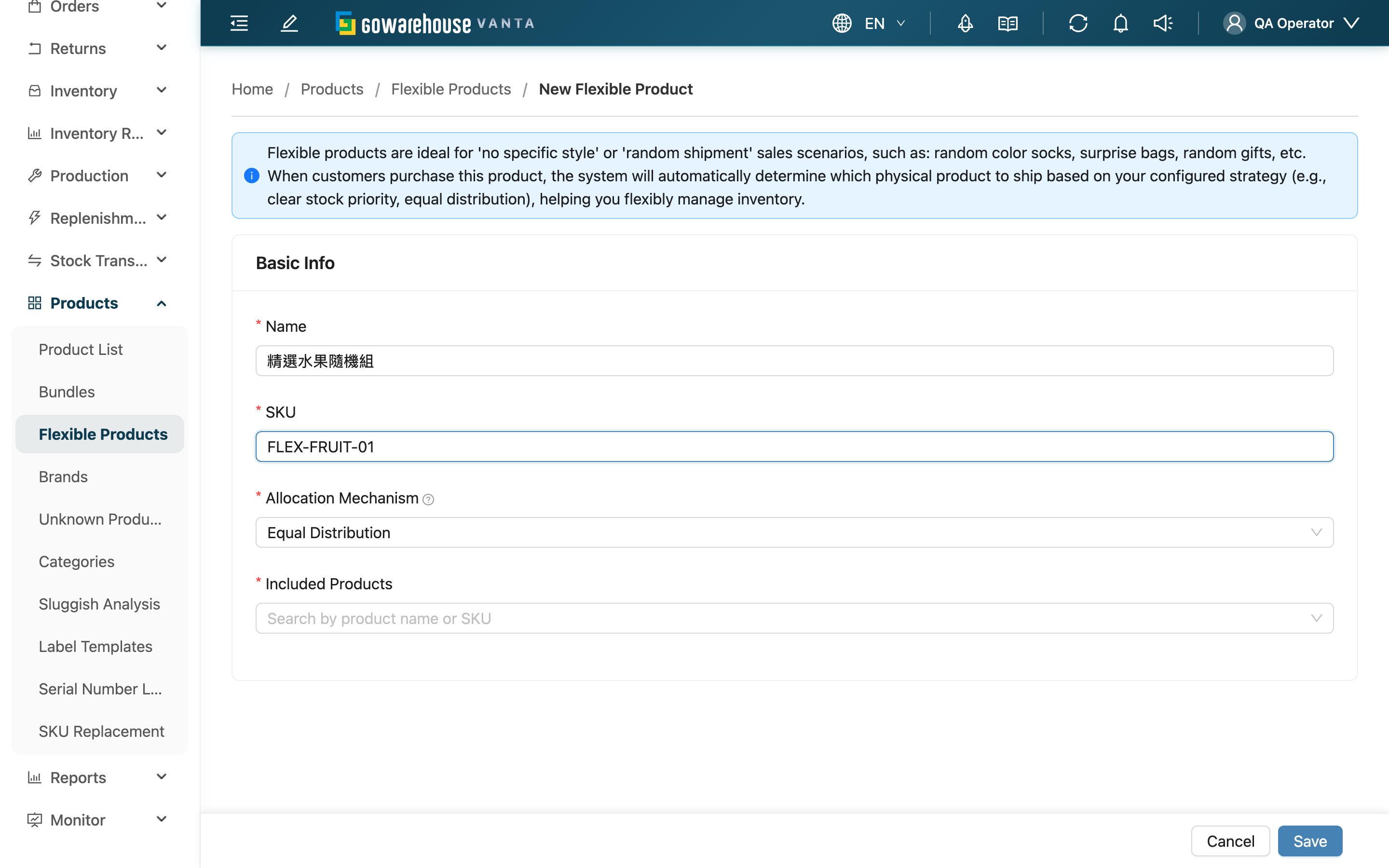
Here you create a flexible product for a specific merchant: fill in the external name and SKU, choose an allocation mechanism, and attach a list of interchangeable candidate products. Once created, any order matching this SKU lets the system automatically pick which real products to ship at order creation per the allocation mechanism — ideal for no-preference items, random shipping, or stock juggling across multiple sources or batches.
Quick Jump: Basic Info | Included Products | Save
1.1 Basic Info
If you manage multiple merchants, you must first choose which merchant to create for; once chosen, the flexible product belongs to that merchant and the merchant cannot be changed after creation.
Fields marked with * are required.
| Field | How to Fill | Notes |
|---|---|---|
| *Name | Enter the flexible product's external display name | Required |
| *SKU | Enter the flexible product's SKU | Required; must be unique within the same merchant. Orders match this flexible product by this SKU, so it must match the external SKU you give the channel |
| *Allocation Mechanism | Choose an allocation mechanism from the list | Required; defaults to Equal Distribution |
The Allocation Mechanism decides how an order's quantity is split across candidates:
| Mechanism | How the system allocates | Best for |
|---|---|---|
| Equal Distribution | Distributes quantity to candidates in turn (evenly when stock allows) | Fair rotation across sources |
| Most Stock First | Consumes the highest-stock candidate first, then the next | Balancing stock levels |
| Least Stock First | Consumes the lowest-stock candidate first, then higher-stock ones | Clearing near-expiry, low-stock batches first |
1.2 Included Products
In the Included Products field, type a product name or SKU to search; selecting from the list adds it to the chosen list below. Each candidate shows its name and SKU and can be removed individually. These are the candidate real products the system picks one of when an order matches this flexible product.
| Field | How to Fill | Notes |
|---|---|---|
| *Included Products | Search and add interchangeable real products | At least one required; if a product is missing, create it in "Product List" first. Only products belonging to the owning merchant can be selected |
1.3 Save
After filling in the basic info and adding at least one candidate product, click Save at the bottom. If no candidate product is added, the system prompts you to select at least one product. After a successful save you return to the previous page.
2. FAQ
2.1 FAQ
▪ Must I select candidate products to create one?
Yes. A flexible product must have at least one candidate product; without any, it is blocked with a prompt. We recommend adding several interchangeable products so the allocation mechanism has room to choose.
▪ Can the SKU duplicate a regular product or another flexible product?
Within the same merchant, the flexible product's SKU must be unique. Use an external SKU dedicated to this flexible product, and make sure it matches the SKU you give the channel so orders can match it.
▪ What if I can't find a candidate product in the search?
Candidate products can only be picked from regular products under the merchant this flexible product belongs to. If it's not in the list, create that product in the Product List first, then come back to add it.
▪ Can I change the merchant after creation?
No. The merchant is fixed at creation. If you chose the wrong merchant, delete and recreate.
▪ How do the three mechanisms differ, and which should I pick?
Equal Distribution distributes evenly in turn, good for fair rotation across sources; Most Stock First ships high-stock products first, good for balancing stock; Least Stock First ships low-stock products first, good for clearing near-expiry batches. You can change it later on the edit page.
2.2 Notes
⚠️ Important
- The SKU must be unique within the same merchant and must match the channel's external SKU, or orders won't match this flexible product.
- The merchant is fixed at creation and cannot be changed later.
💡 Tip: Add two or more candidate products so the mechanism is meaningful; with only one, every mechanism just ships that single product.
3. Related Features
| Feature | Description | Link |
|---|---|---|
| Flexible Product List | Return to the list to view, edit, or delete flexible products | Go |
| Product List | Source of candidates; create real products here first | Go |
| Bundles | Use bundles when you need "ship all together" | Go |