
Platform API Logs
Contents
1. Use Cases
Quick links: Marketplace orders aren't coming in | Shipping labels fail to generate
Case 1: A new marketplace order never showed up at the warehouse
Situation: A merchant says a buyer ordered on the marketplace half an hour ago, but the warehouse still hasn't seen the order, and suspects order fetching is broken.
Using this feature: Filter by action and e-commerce account for that merchant account's recent order fetches, check the response status, and expand a row to see what the platform replied.
Result: You can tell whether the platform authorization expired, the platform returned an error, or fetching worked and the order just hasn't come up yet — and decide whether to ask the merchant to reauthorize or wait for the next fetch.
Case 2: Shipping labels for a batch of fulfillments keep failing
Situation: The packing area reports that a whole batch of fulfillments can't print labels, and the screen only says "generation failed".
Using this feature: Filter by shipping account for that account's "generate label" calls and expand them to read the carrier's error.
Result: The carrier's error tells you whether the recipient data doesn't meet their format, the account ran out of quota, or the carrier's system is having problems, so you can fix the right thing.
2. Features
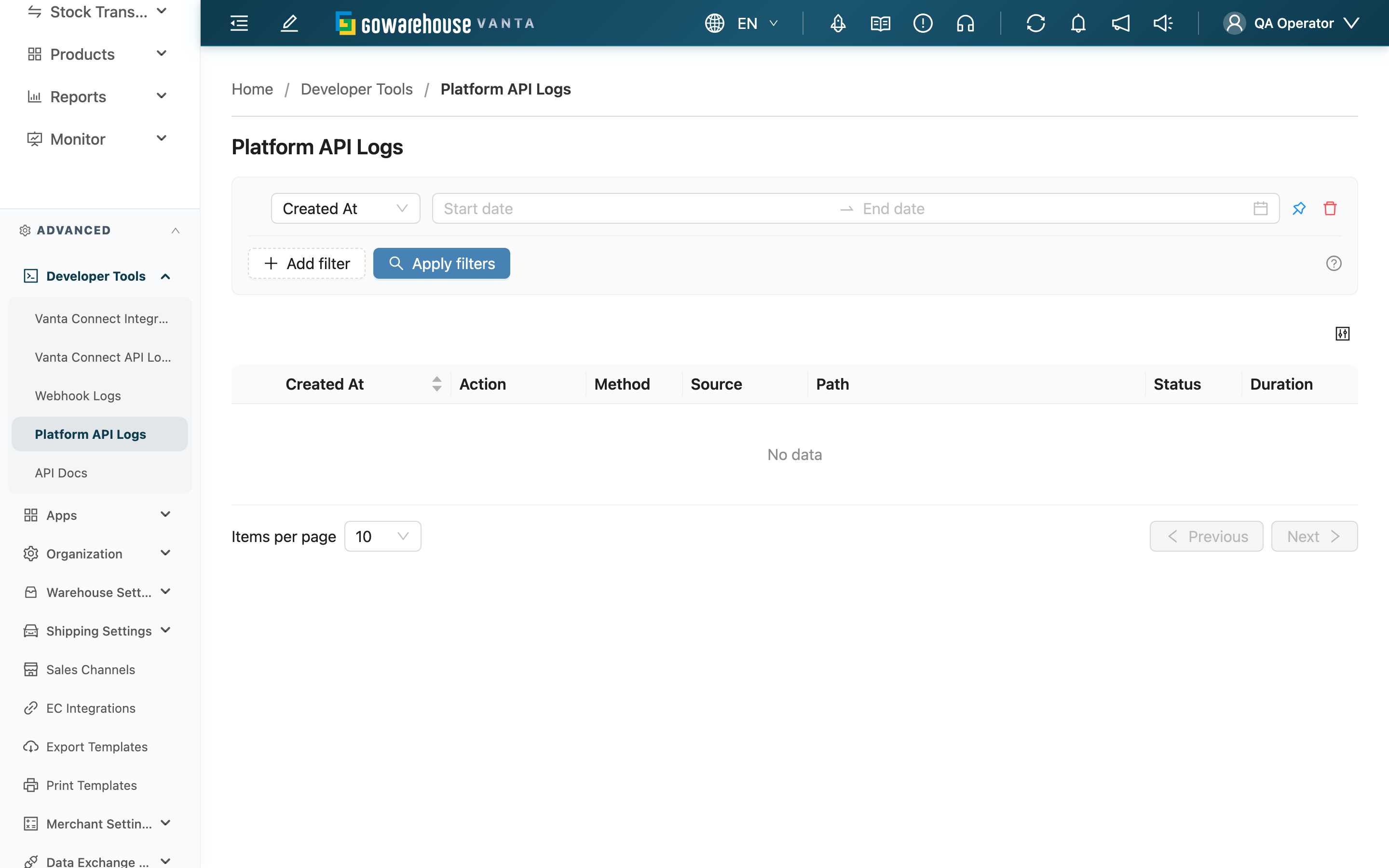
Every call the system makes to marketplaces and carriers (fetching orders, reporting shipments, syncing stock, generating labels, getting tracking numbers, and so on) is recorded here. When a platform or carrier integration misbehaves, this page shows what the system sent and what the other side replied, so you can see which end has the problem.
Quick jump: Search and filters | List columns
2.1 Search and filters
The list only shows calls for merchants assigned to you; switching the merchant in the page header narrows the list to that merchant.
| Filter | How to use it |
|---|---|
| Created At | Pinned by default |
| Action | Show only one kind of call, such as fetch orders or generate label |
| EC Integration | Show only one e-commerce account's calls; options show the platform name after the account name |
| Shipping Integration | Show only one shipping account's calls; only accounts that actually have calls are listed |
2.2 List columns
| Column | Description |
|---|---|
| Source | What kind of record the call was made for, such as an order, fulfillment, or product |
| Status | The other side's processing result comes first: some platforms return HTTP 200 even when processing failed, and those are still shown as a red failure. Only when there's no processing result is the color based on the HTTP status (2xx green, 4xx orange, 5xx red). A carrier timeout with no status code shows "—" in red |
Click the "+" on the left of a row to see the request the system sent and the response it received.
3. FAQ
Quick jump: FAQ | Important notes
3.1 FAQ
▪ The status is 200, so why is it red?
The platform returned HTTP 200, but the response says processing failed. The system goes by the processing result; see List columns.
▪ Why can't I see a merchant's calls?
The list only shows merchants assigned to you; also check which merchant is selected in the page header.
▪ The carrier's response looks cut off?
For most carriers, long responses are kept only up to the first 2,000 characters. The error reason is usually at the start, so it's still readable.
▪ How do I check the integration history of one order?
Open that order's detail page and go to the "Logs" tab. It lists only the calls related to that order; for batch order fetches, only the part belonging to that order is shown.
▪ How long are records kept?
About 2 months; older records are removed.
3.2 Important notes
⚠️ Important
- Expanded content can include recipient names, phone numbers, and addresses. Don't share it with anyone unrelated to that merchant.
- Records are removed after about 2 months and can't be recovered; save anything you need to keep longer.
💡 Tip: When troubleshooting one merchant's platform, filter by "EC Integration" first, then look for where the run of failures starts — that's usually when the problem began.
4. Related Features
| Feature | Description | Link |
|---|---|---|
| Order details | See one order's integration history in the "Logs" tab | Go |
| Webhook Logs | See notifications the system pushes to merchants and integrations | Go |
| Vanta Connect API Logs | See calls external systems made to the Vanta Connect API | Go |