
Shelf Relocation Orders
Contents
1. Scenarios
Quick links: Campaign preparation | Freeing shelves
Scenario 1: Consolidate popular products before a campaign
Situation: A promotion is approaching. A popular product is spread across several shelves, making staff travel to multiple locations for each collection.
Use this feature: Use product search when creating an order to select the scattered sources and plan a common destination.
Result: Each source remains identifiable, and staff have one traceable document for checking the consolidation work.
Scenario 2: Free shelves before a large delivery
Situation: A large delivery is due next week. The warehouse needs to move scattered remaining stock elsewhere to free adjacent shelves.
Use this feature: Select sources by shelf to add the movable stock from each affected location.
Result: One document records the plan, with each executed move available in the shelf movement history after confirmation.
2. Features
Use shelf relocation orders to reorganize storage or consolidate products within one warehouse. Record moves from several shelves on one order, review the sources, lots, quantities and destinations, then confirm execution. The order preserves a traceable record of each move without changing the warehouse’s total inventory.
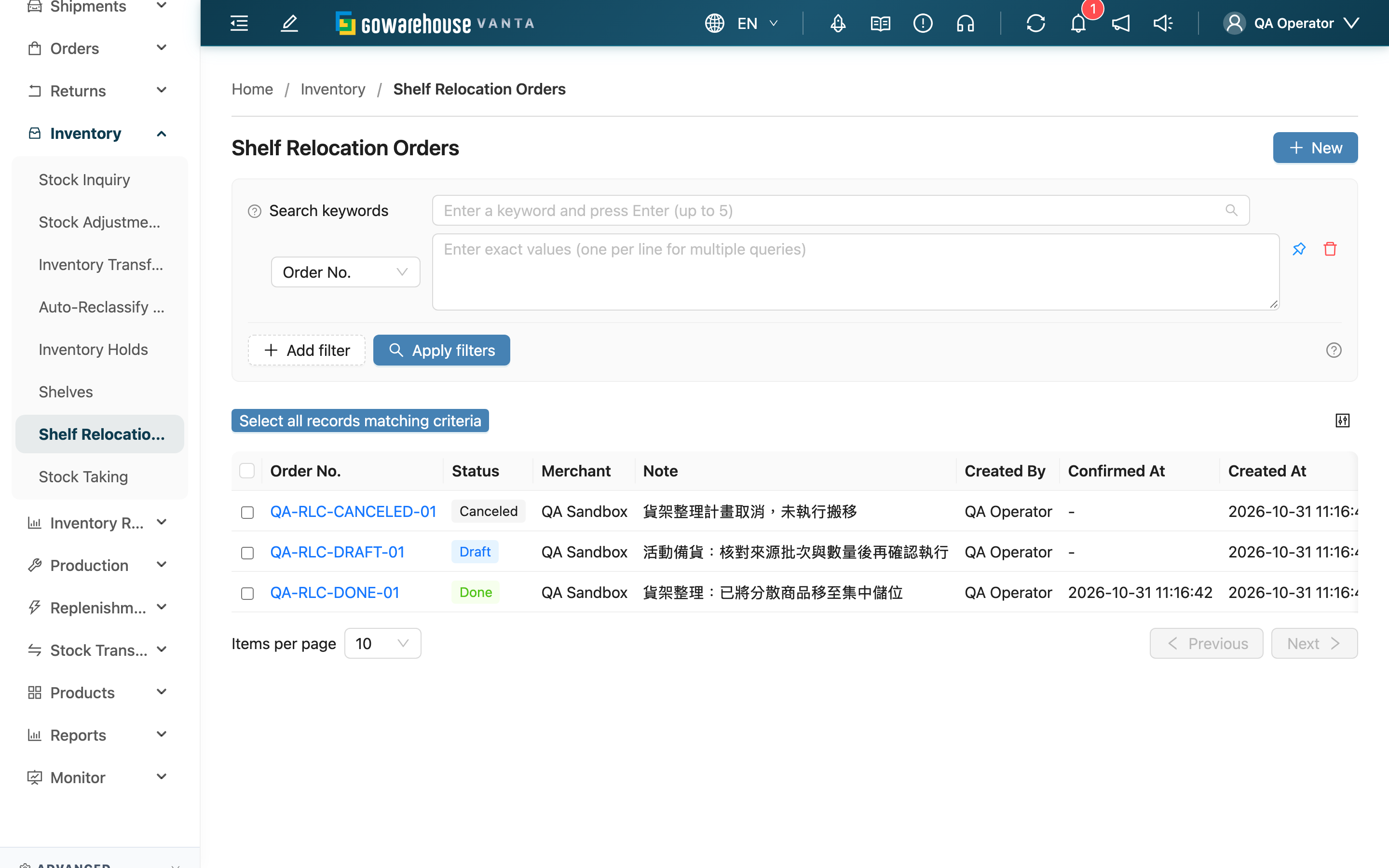
2.1 Find and open an order
Search the reference or note, or filter by Order No., Status and Created At. The page header determines the merchant scope, and results belong to the current warehouse. Open an order by clicking its reference, or select New to create one.
2.2 Order statuses
| Status | Available actions | Inventory effect |
|---|---|---|
| Draft | Edit, confirm, void, print | Saving and printing neither move nor reserve stock |
| Done | View, print | All shelf moves on the order have executed |
| Canceled | View, print | Voiding does not move stock; the order cannot be restored |
2.3 Downloads
Select orders and use Export to download a spreadsheet of their lines. For a paper working copy, open PDF printing on the details page.
3. FAQ
3.1 Questions
▪ Can I move stock to another warehouse?
No. Shelf relocation is limited to one warehouse. Use the stock transfer workflow for cross-warehouse moves.
▪ Does this change the total inventory quantity?
No. It changes where stock is stored. Use stock adjustments for inventory gains or losses.
▪ Why can I no longer find an order?
Check the merchant in the header, current warehouse and list filters. Operators can view only orders for assigned merchants.
▪ Why are New or Export unavailable?
Creating, editing and confirming require shelf write permission. Spreadsheet export requires shelf export permission. Ask an administrator to review your permissions.
▪ Can I print without executing the moves?
Yes. Download a PDF from the details page using the printing workflow, and check its printed status.
3.2 Important notes
⚠️ Before proceeding
Confirmation immediately executes every move on the order and has no direct undo. Review the physical plan before confirming.