
Category Detail
Table of Contents
1. Feature Overview
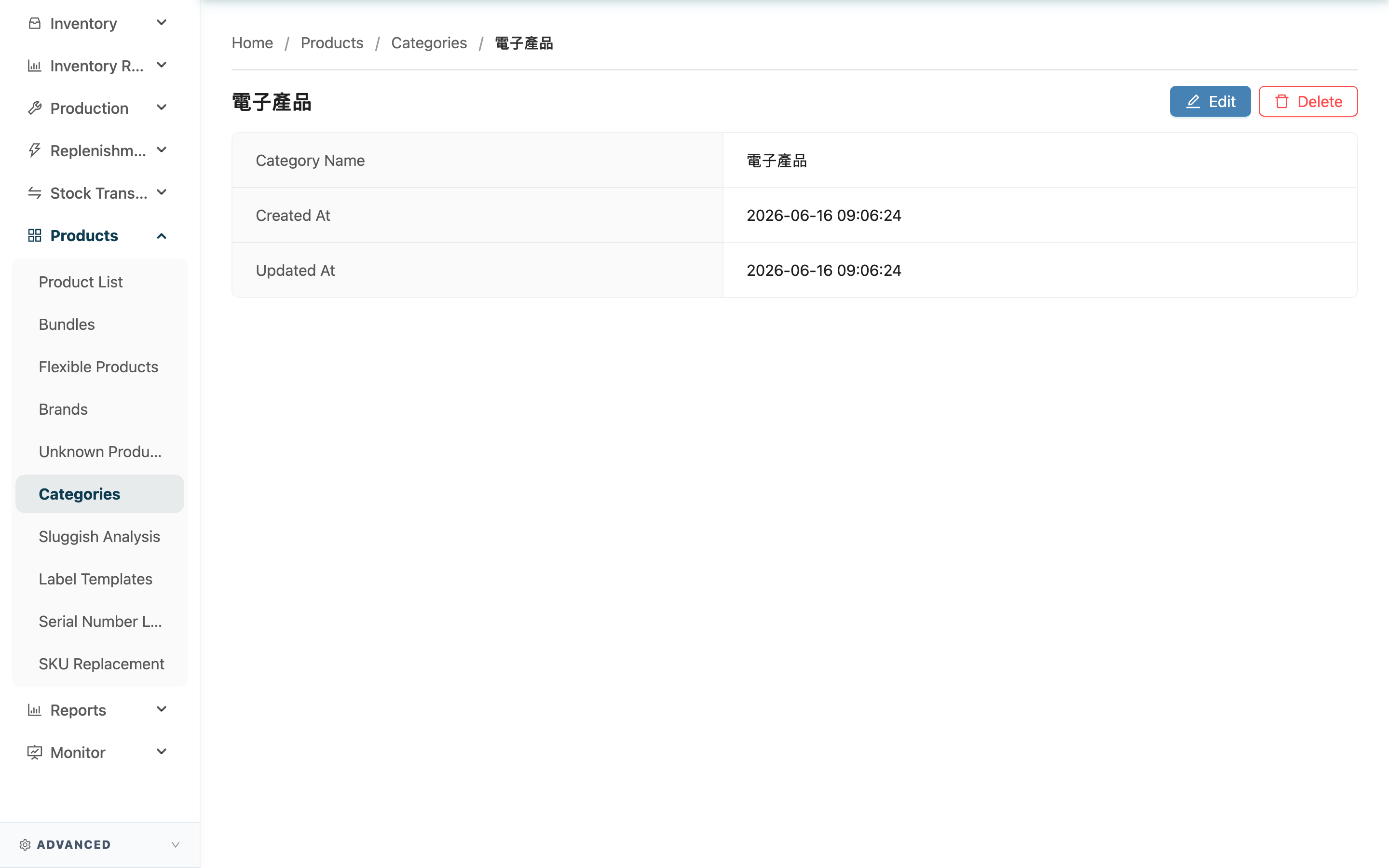
This page shows the contents of a single product category, and lets you rename or delete it right here. A category holds only its name, so this page is really about maintaining the category: rename it if the name was poorly chosen, or delete it if it is no longer needed.
Quick jump: View Details | Rename | Delete
1.1 View Details
| Field | Description |
|---|---|
| Category Name | The name of this category |
| Created At | The time this category was created |
| Updated At | The time this category was last updated |
1.2 Rename
Click "Edit" in the top right to enter edit mode on this page, change the category name, then click "Save" to save, or "Cancel" to discard your changes. After renaming, all products under this category will show the new name; their grouping stays unchanged.
1.3 Delete
Clicking "Delete" in the top right brings up a confirmation dialog; the category is only deleted after you click "Confirm".
- Can it be done: Any category can be deleted.
- Impact on products: Deleting a category does NOT delete the products under it. The system only removes the grouping from those products, making them "uncategorized"; the products themselves, their inventory, and all other data are completely unaffected.
- Can it be undone: Deletion cannot be undone. If you need the category again later, you must recreate it and reassign the products.
2. FAQ
2.1 FAQ
▪ Does renaming affect the products under it?
Only the displayed name changes; the grouping stays the same. Products previously assigned to this category remain in the same category after renaming — just under the new name.
▪ What happens to the products after I delete the category?
The products are not deleted; they simply become uncategorized. You can later go to a product's edit page and reassign it to another category.
▪ What if it says the name already exists when renaming?
It means a category with the same name already exists in this set of categories. Use a different name.
▪ Where can I see which products are under this category?
Not on this page. Go to the Product List and filter by "Category" for this category to list all products under it.
2.2 Notes
⚠️ Important
- Deleting a category cannot be undone, and the products under it all become uncategorized. If you only want to rename, use edit rather than delete-and-recreate.
- Categories are shared across the whole warehouse. Renaming or deleting one affects how all products under it are presented, so confirm the impact before you act.
💡 Tip: Before deleting, filter the product list by this category once to confirm which products are still under it and whether you should reassign them first.
3. Related Features
| Feature | Description | Link |
|---|---|---|
| Product Categories | Return to the category list to view all categories | Go |
| Product List | Filter products that fall under a category | Go |
| Product Detail | View the category a single product belongs to | Go |